


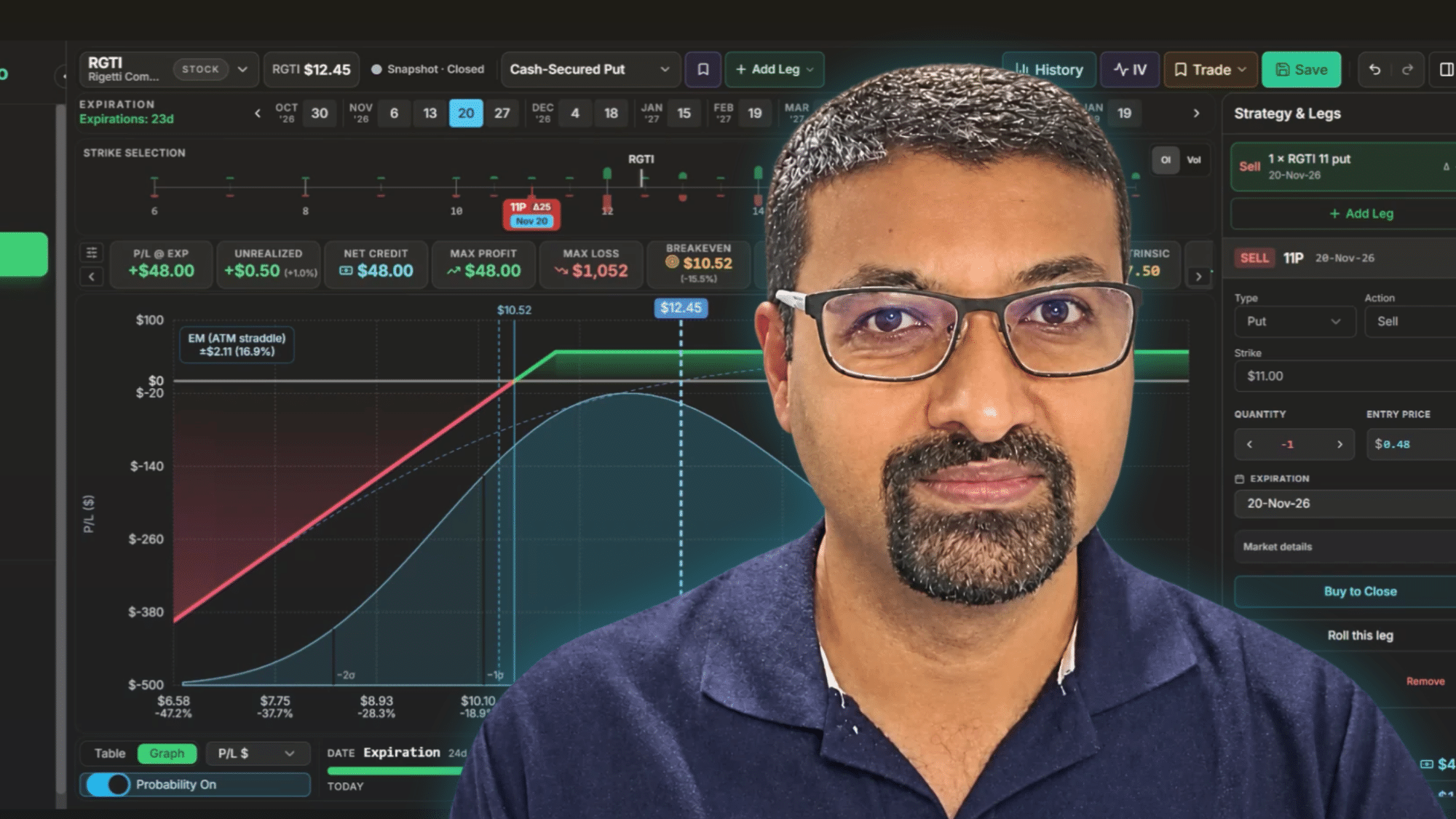


COMMERCIAL CONTENT: This article and video are sponsored by Options Matrix Pro.
When the US stock market opens, Philip Fowgar is getting ready for bed in Australia. With a demanding day job and family responsibilities, he needed an efficient approach to options trading. The conclusion? He developed his own workflow and built software to support it.
Learn Philip’s options trading workflow
Philip Fowgar
Philip Fowgar is an Australian options trader, management consultant, and creator of Options Matrix Pro, an options trading software platform.
Living in Brisbane, where US stock markets open at 11:30 p.m. for part of the year, Philip cannot easily monitor the market during trading hours. His solution is to concentrate on one strategy, automate repetitive research, and manage his positions with minimal time commitment.
Built Options Matrix Pro to save time
But what makes his approach particularly interesting is the software he built to make it possible.
Imagine scanning 100 stocks for options opportunities, comparing potential returns across different strikes and expirations, visualizing risks and tracking positions — all without switching between multiple tools and spreadsheets.
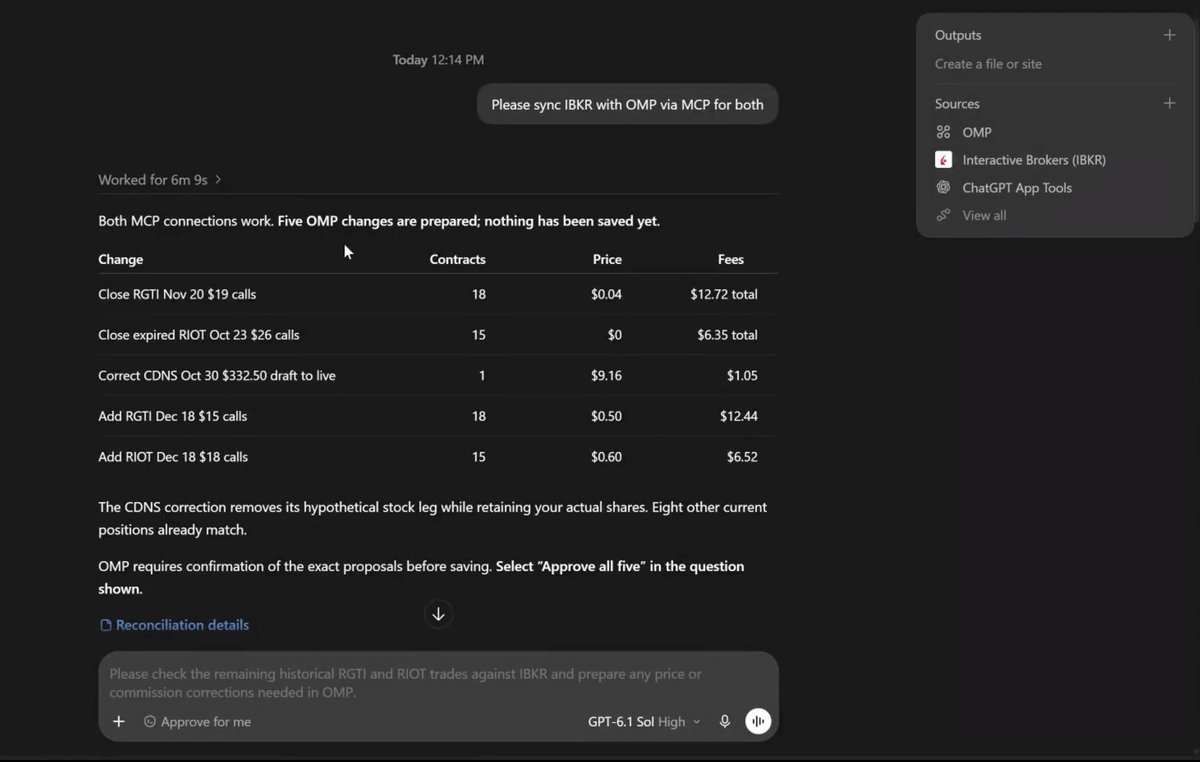
That’s what Philip set out to achieve with Options Matrix Pro. With AI integrations, he can even ask ChatGPT to scan for opportunities and synchronize trades from his broker.
In the interview, he demonstrates his complete workflow, step by step.
Find the trades worth your time
SPONSORED MESSAGE: Options Matrix Pro is a web-based options research platform with live market data, short-options and advanced strategy scanners, a contract comparison matrix, a strategy visualizer and a trade journal.
One strategy, one efficient workflow
After losing money experimenting with different strategies, Philip decided to specialize in the Wheel strategy:
- Cash-secured puts: Sell puts on stocks he is willing to own, collecting premium while accepting the obligation to buy shares if assigned.
- Covered calls: If assigned, sell calls against those shares to collect additional premium. If the shares are called away, the cycle can begin again.
Philip typically sells options with 30–45 days to expiration. He targets returns of 2–3% per month, although these are his stated objectives, not independently verified results or guaranteed returns.
His options trading workflow has four main steps.
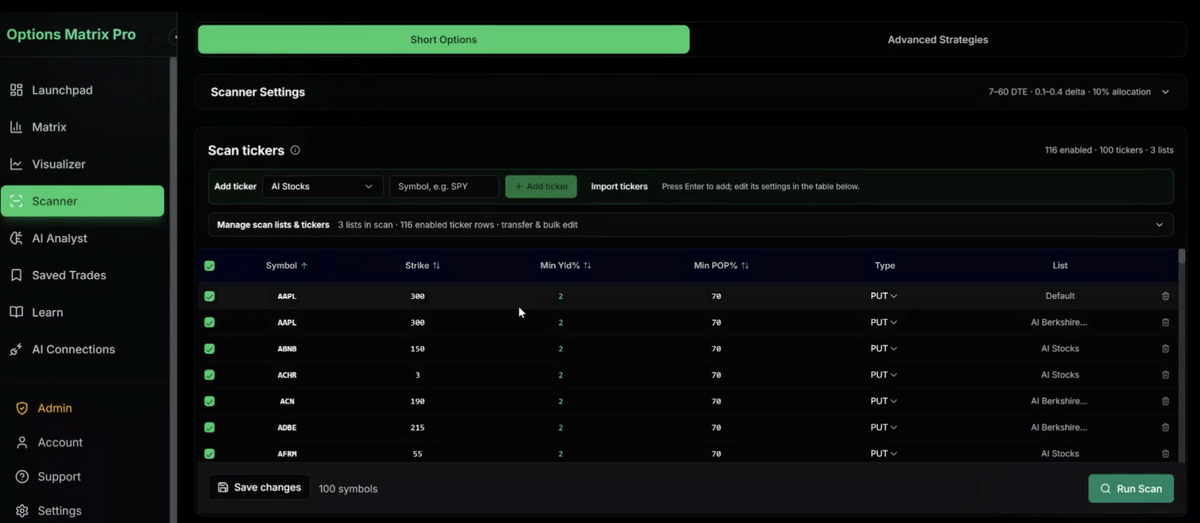
Step 1: Scan for options trading opportunities
Philip maintains watchlists containing around 100 stocks, many in the technology sector.
Using the Options Matrix Pro scanner, he filters potential trades by monthly premium yield, probability of profit, delta, days to expiration, and portfolio allocation.
He demonstrates a scan targeting at least 2% monthly premium yield and 70% probability of profit.
A particularly useful feature is automatic strike calibration. The software analyzes support and resistance, maximum pain, and expected moves to suggest updated strike prices across his watchlist.
Instead of manually researching dozens of stocks, Philip can quickly identify candidates worth investigating. The suggested strikes still require his judgment.
Step 2: Compare trades in the options matrix
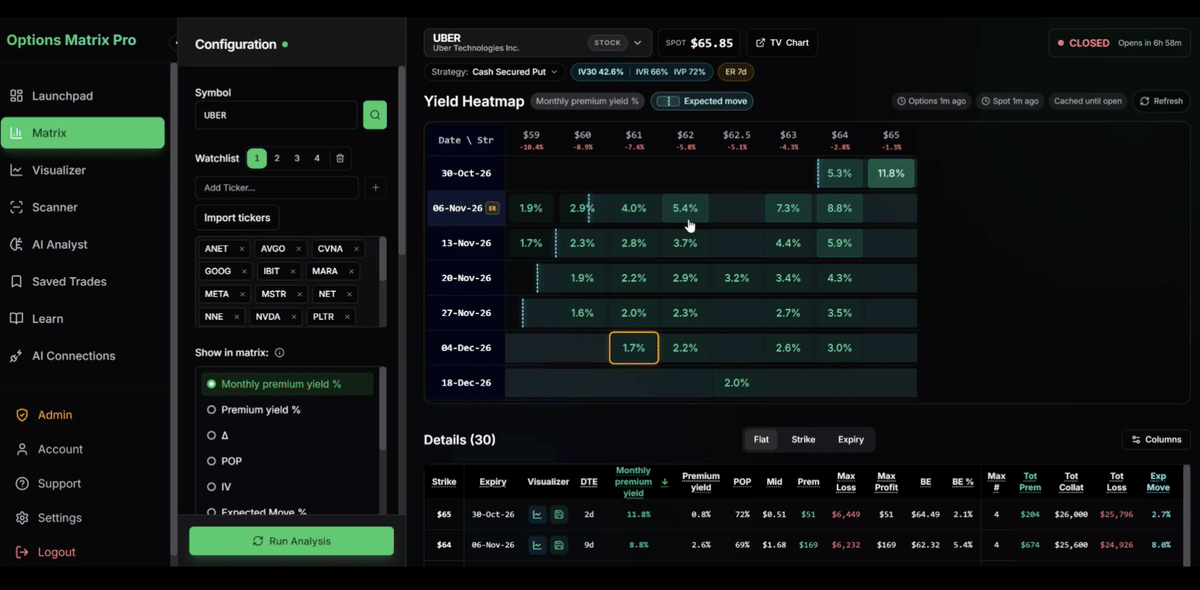
Once the scanner identifies opportunities, Philip moves to the Matrix — the feature that originally inspired him to build the software.
It displays monthly premium yields across strikes and expiration dates, making it easier to compare trades without additional calculations.
Philip can review premiums, delta, probability of profit, expected moves, and upcoming earnings announcements in one place.
In the interview, he demonstrates this using RGTI, moving from scanner results to specific cash-secured put opportunities.
His objective isn’t simply to find the highest premium, but to select trades that fit his strategy and risk tolerance.
Step 3: Visualize the risk before trading
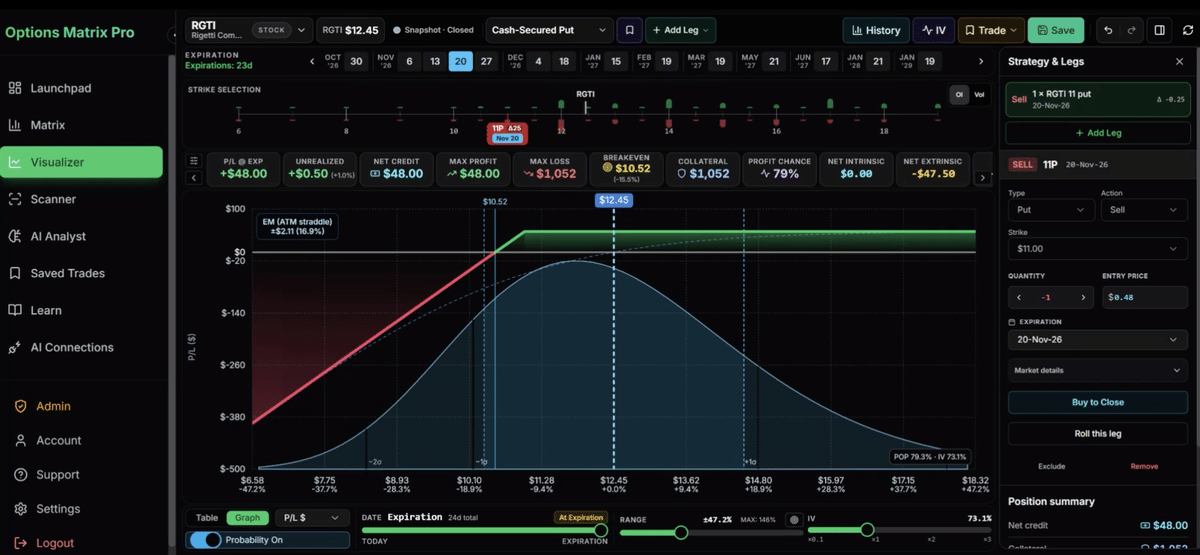
Next, Philip evaluates potential positions in the Visualizer.
This displays a trade’s profit-and-loss profile across different stock prices and dates, including breakeven points, expected moves, and probability of profit.
For cash-secured puts, the potential premium income is limited, while a significant stock decline can create substantial losses.
The Visualizer helps Philip understand these risks before placing a trade through his broker.
Step 4: Track trades and use AI to save time
After executing trades through Interactive Brokers, Philip tracks his positions in Options Matrix Pro.
The platform records open and closed trades, assignments, covered calls and performance.
But he increasingly uses ChatGPT and other AI tools through MCP integrations to simplify this process.
In the video, Philip demonstrates how AI retrieves actual trade information from Interactive Brokers and synchronizes execution prices, commissions, and positions with Options Matrix Pro.
He can also use AI to run scans, build watchlists, and evaluate potential trades based on his criteria.
This reduces manual administration, although AI suggestions and imported information still need verification.
Special Theta Profits offer: Try Options Matrix Pro free for 7 days – then 20% off.
What does his weekly trading routine look like?
Philip typically reviews his positions around Monday’s US trading session, which falls on Tuesday in Australia.
His routine is straightforward:
- Review existing positions and assignments.
- Look for covered-call opportunities on owned shares.
- Check available portfolio capacity.
- Scan his watchlist for new trades.
- Evaluate opportunities and place orders.
- Synchronize the executed trades with his software.
He generally uses Friday expirations to keep the process manageable.
Although he describes his commitment as around one hour per week, Philip says his actual routine often takes just 15–30 minutes, often working directly from his phone.
The real lesson: Make options trading more efficient
Philip’s experience shows how a structured options trading workflow can reduce time spent researching and managing positions.
His approach is built around three principles: focus on one strategy, establish repeatable criteria, and use technology to eliminate unnecessary manual work.
Options Matrix Pro brings scanning, trade comparison, visualization, tracking, and AI integration into one platform.
The broader lesson applies regardless of software: options trading doesn’t necessarily require watching the market all day. But even an efficient workflow needs sound risk management and attention when positions move against you.
